
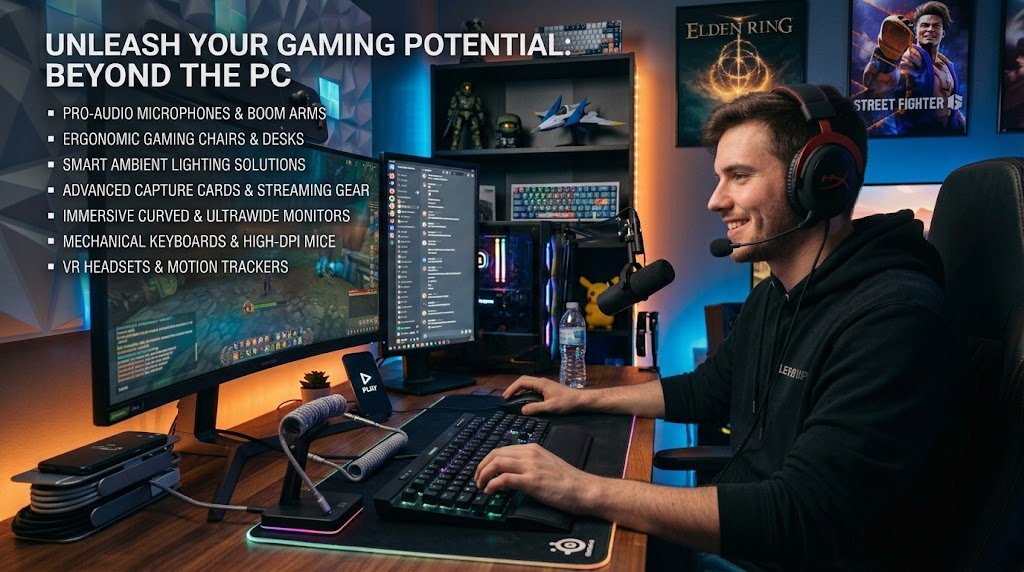
The right accessories can change how a game feels. A responsive mouse helps you aim more precisely, a comfortable headset lets you hear footsteps before an enemy reaches you, and a sturdy mouse pad keeps your movements smooth across a long session.
Accessories also affect comfort. Hours of play with a poorly fitting controller or a cramped keyboard layout can leave your hands sore and your focus scattered. This guide covers the most useful gaming accessories, what to look for in each, and how to decide which ones deserve a place in your setup.
Choosing a Gaming Mouse
For PC players, the mouse is often the most important accessory. It is the tool that controls aim, movement, and camera control in many genres, so its shape and performance matter a great deal. Start with the grip style that suits your hand. Palm grip users generally prefer larger, rounded mice that support the whole hand, while claw grip players often like medium-sized designs with a raised back.
Fingertip grip suits smaller, lighter mice that allow quick flicks. Measuring your hand from the wrist to the tip of your middle finger can help you choose an appropriate size before you buy.
Sensor quality and weight also deserve attention. Most modern gaming mice use optical sensors that track accurately across a wide range of surfaces. Adjustable DPI, which controls how far the cursor moves for each unit of physical movement, lets you tune sensitivity to your preference. Weight is a matter of personal taste. Lighter mice are easier to flick and reduce arm fatigue during fast-paced play, while heavier models can feel more stable for precise tracking.
Programmable side buttons are useful in many games, but avoid mice with so many extra buttons that you accidentally press them during intense moments. Wired mice avoid battery concerns and typically have no delay, while modern wireless models have become competitive, so choose based on convenience and your budget.
🎮 Gaming Accessory Challenge
Think you know your gaming gear? Choose the best accessory for each gaming situation.
Build Your Gaming Setup
Test your gaming accessory knowledge. Choose the accessory that makes the most sense for each situation.
Selecting a Keyboard
A gaming keyboard does not need to be flashy to be effective. The most important consideration is switch type, since switches determine how the keys feel and respond. Linear switches move smoothly without a noticeable bump, which many players prefer for quick repeated presses. Tactile switches provide a small bump that signals actuation, and clicky switches add an audible sound along with the feedback. Try to test keyboards in a store or read detailed reviews, because personal preference plays a large role here.
Layout is another factor. Full-size keyboards include a number pad, which is useful for some tasks but takes up desk space and pushes your mouse farther away. Tenkeyless and compact keyboards save space and bring the mouse closer to your body, which can improve comfort in games that rely heavily on mouse movement. Look for features that matter to you, such as anti-ghosting for simultaneous key presses, customizable keys, and detachable cables. Wrist rests can improve comfort during long typing sessions, but they work best when they support the heel of the hand rather than encouraging you to rest your wrists while actively moving.
Finding the Right Headset
Audio is one of the most underrated parts of gaming. A good headset helps you locate sounds, follow voice chat, and stay immersed in the game world. Pay attention to sound quality first. Balanced audio that clearly reproduces both bass and high frequencies gives you a better sense of the environment. For competitive games, precise directional sound and clear footsteps can be more valuable than rich bass.
Comfort matters just as much, especially for marathon sessions. Look for padded headbands, soft ear cushions, and a clamping force that holds the headset securely without pressing too hard on your head. Over-ear designs usually feel more comfortable for long periods, while on-ear models are lighter but can cause fatigue sooner.
The microphone is equally important if you talk with teammates. A boom microphone with noise reduction keeps your voice clear and reduces background noise from fans, keyboards, or family members. Wireless headsets offer freedom of movement, but check battery life and connection stability. Many gamers also find that a headset with a simple volume control and mute button is more practical than one packed with features they never use.
Picking a Controller
For console players and many PC gamers, a controller is the main input device. Official controllers from console manufacturers offer reliable build quality and broad compatibility, while third-party options sometimes provide features such as remappable buttons or different stick layouts at a lower price. Check whether a controller works with your platform before buying, especially if you plan to use it on PC.
Grip comfort and button layout are key factors. Controllers with textured grips reduce slipping during intense sessions, and well-placed triggers and bumpers make it easier to keep your fingers near the buttons you use most. Some players appreciate paddles on the back of the controller, which let them press buttons without moving their thumbs.
Battery life matters for wireless controllers, and a rechargeable battery pack or a charging cable kept at your desk makes things easier. If you play fighting games or other button-intensive titles, consider a d-pad that suits your style, since it can feel very different from the standard analog stick.
Using a Quality Mouse Pad
A mouse pad might seem like a minor accessory, but it affects how your mouse tracks and how your hand feels. Cloth surfaces offer controlled friction, which many players prefer for precise aiming. Hard surfaces provide faster movement and smoother glide, which suits quick, sweeping motions. The right choice depends on your playstyle, so you may want to test a few options.
Size is important too. A large mouse pad gives you room to make wide movements without lifting the mouse, which is useful in strategy games and open-world titles. A smaller pad may be enough for a compact desk or a fast-paced shooter where precise, short movements dominate. Look for a non-slip base so the pad stays in place during play, and keep the surface clean, since dirt and oils reduce tracking consistency. Wiping the pad regularly and replacing it when it becomes worn can make a noticeable difference.
Other Useful Accessories
Beyond the core devices, several smaller accessories can improve comfort and organization. A monitor light bar or ambient lighting reduces eye strain in dark rooms. Cable management clips and sleeves keep your desk tidy and prevent cables from pulling on your peripherals. A controller stand or wall mount keeps your controller accessible and protected. A headset stand frees up desk space and keeps your headphones safe when you step away.
Some players also consider a webcam for streaming or video calls, a capture card for recording gameplay, or a USB hub to connect multiple devices. These are useful for creators and social players but are not necessary for everyone. Start with the essentials, then add accessories based on how you actually play.
How to Prioritize Your Purchases
Not every gamer needs every accessory at once. A practical approach is to identify your biggest pain point. If your hands ache, invest in a more comfortable mouse or controller. If you struggle to hear enemies, focus on the headset.
If your mouse slides unpredictably, a better mouse pad may be the most useful upgrade. Reading reviews from reliable sources, comparing specifications, and checking return policies helps you make informed decisions. Buying refurbished or last-generation products can also save money without sacrificing much performance.
Conclusion
The best gaming accessories are the ones that fit your hands, your games, and your budget. A well-chosen mouse or controller improves precision, a quality keyboard supports comfortable input, a good headset sharpens your awareness of the game world, and a dependable mouse pad keeps your movements consistent.
Supporting accessories such as lighting, cable management, and stands add comfort and organization to the overall experience. Rather than buying everything at once, start with the device that addresses your most pressing need, test it thoroughly, and build from there. Thoughtful choices will help you play more comfortably, perform more consistently, and enjoy your games for years to come.